Connect to your AHP servers, follow sessions live, and take control from wherever you are.
Get it on the app stores:
iOS and Android
No account. Just your host.No cloud. Nothing to sign up for.No middleman. A direct connection.
The whole app, with you
Leave the desk. Not your agents.
A phone interface for whatever your host advertises. The app adapts to the capabilities on offer instead of assuming how your agent works.
01 / SESSIONS
Every session, wherever you are.
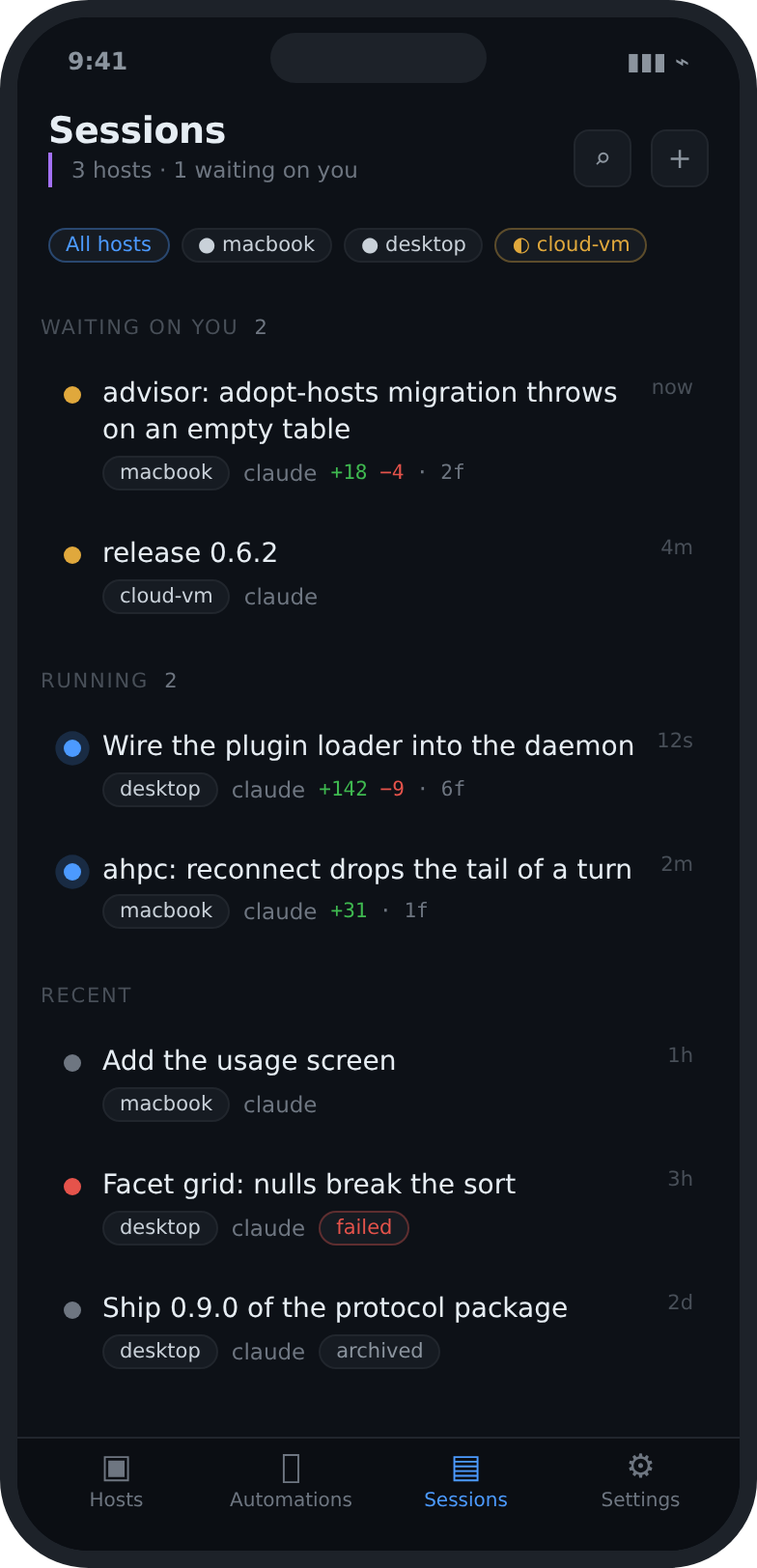
Start sessions, follow each step, and step into the conversation the moment an agent needs a decision.
Live status
Messages and requests
History by host and workspace
02 / HOSTS
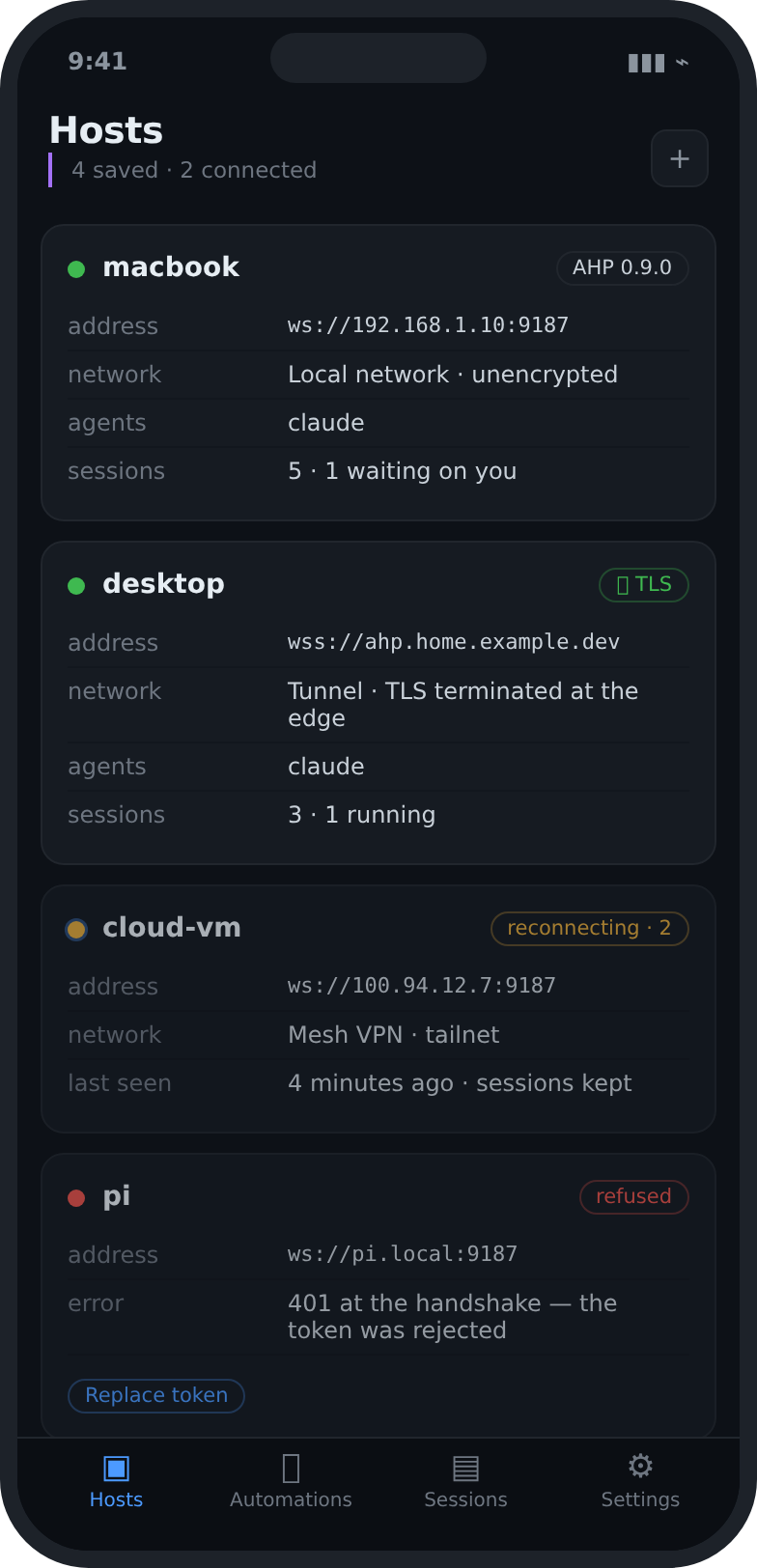
Your hosts in one place.
Connect AHP machines and servers. See where your agents are available, and move between them without losing the thread.
On your LAN or over a VPN
Capabilities read at the handshake
Tokens kept on the device
03 / AUTOMATIONS
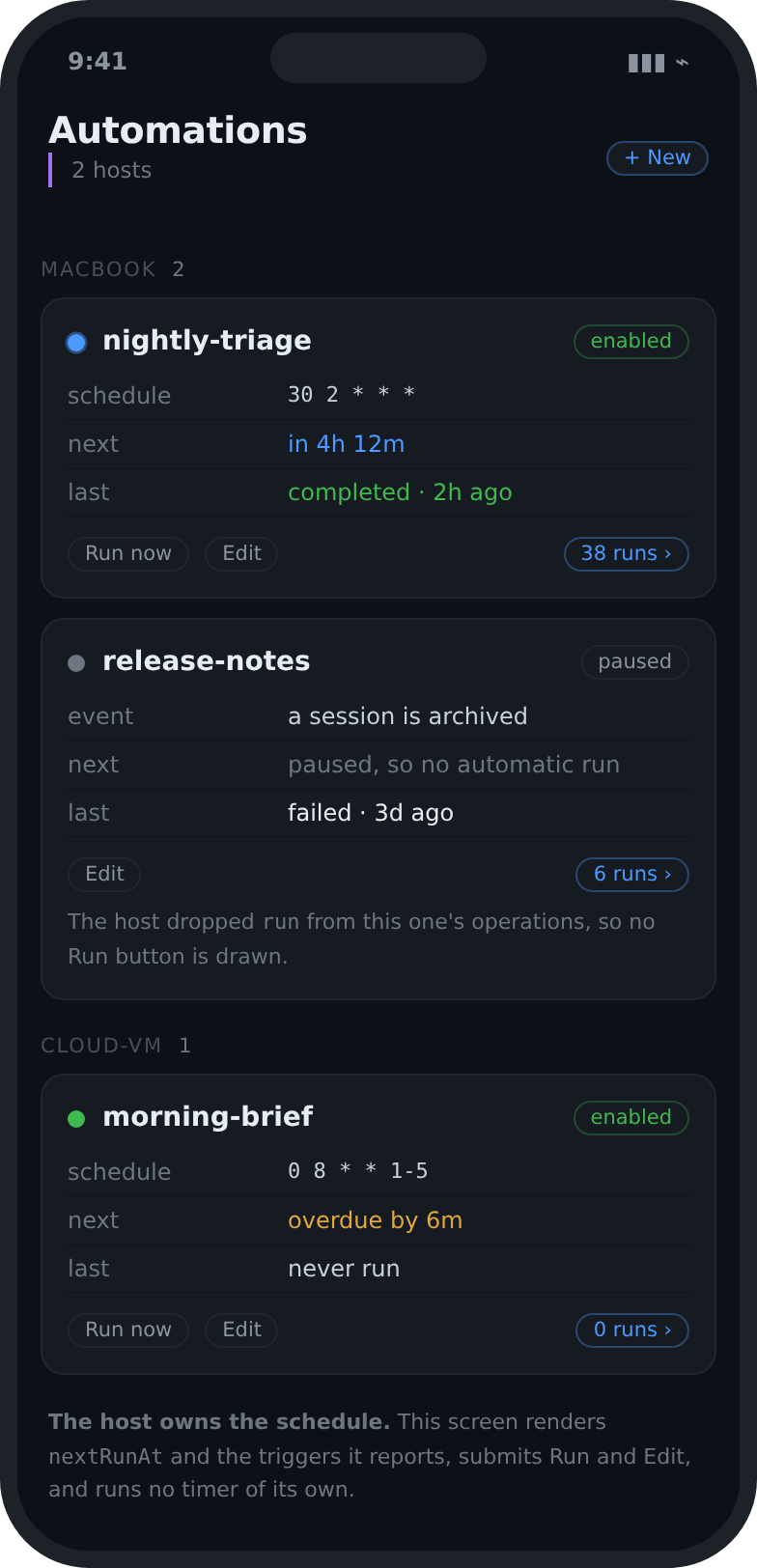
Agents that work while you are away.
Create and follow automations on your own hosts. See when the next one runs, how the last one ended, and what wants attention.
Schedules and triggers
Enable or pause from the phone
Runs linked back to their session
04 / RESOURCES
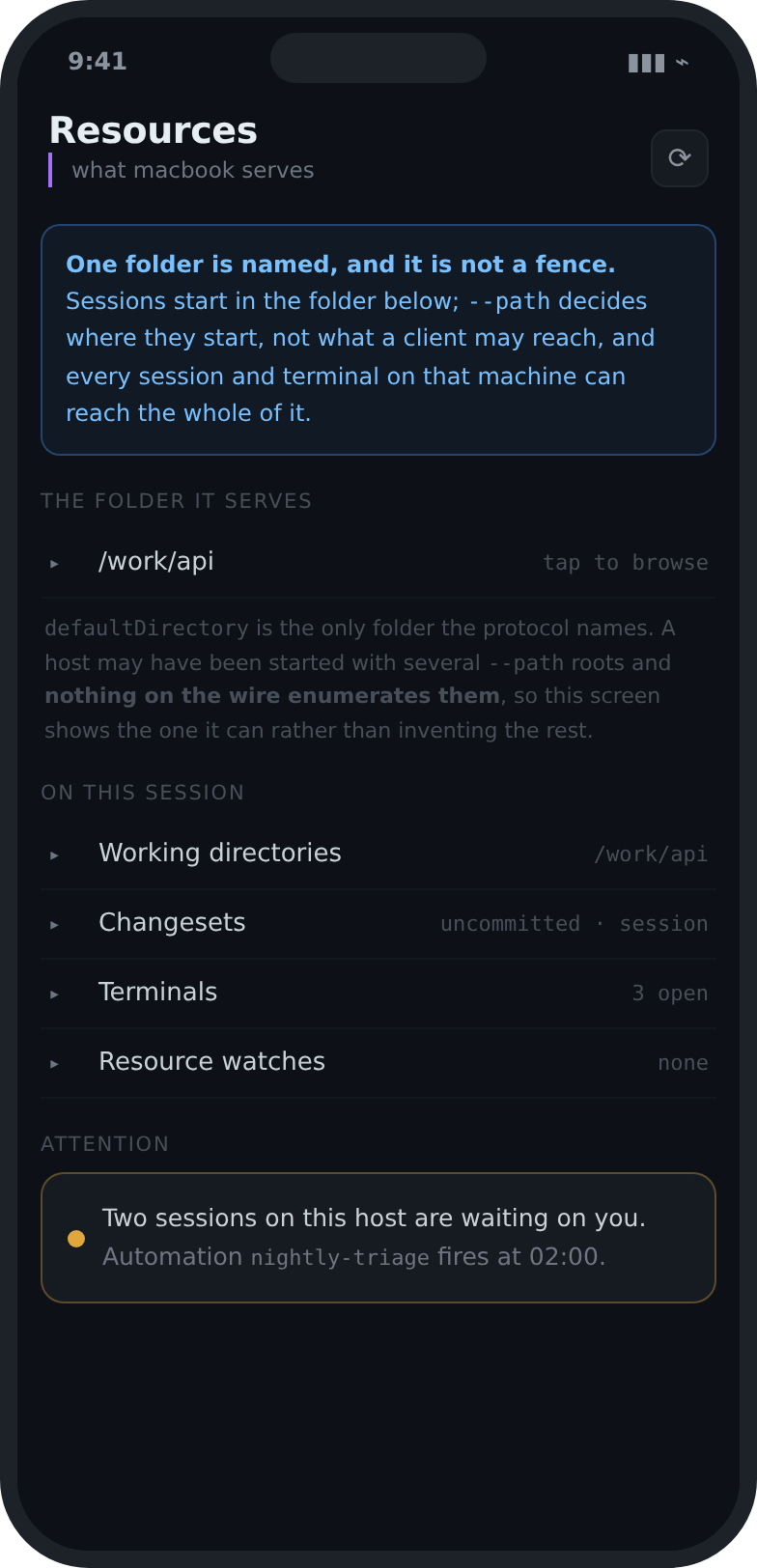
The files your agents are working on.
Walk the resources a host exposes, read documentation, and check what changed without switching apps.
Files, folders and resources
Code and Markdown rendering
Access decided by your host
05 / TERMINAL
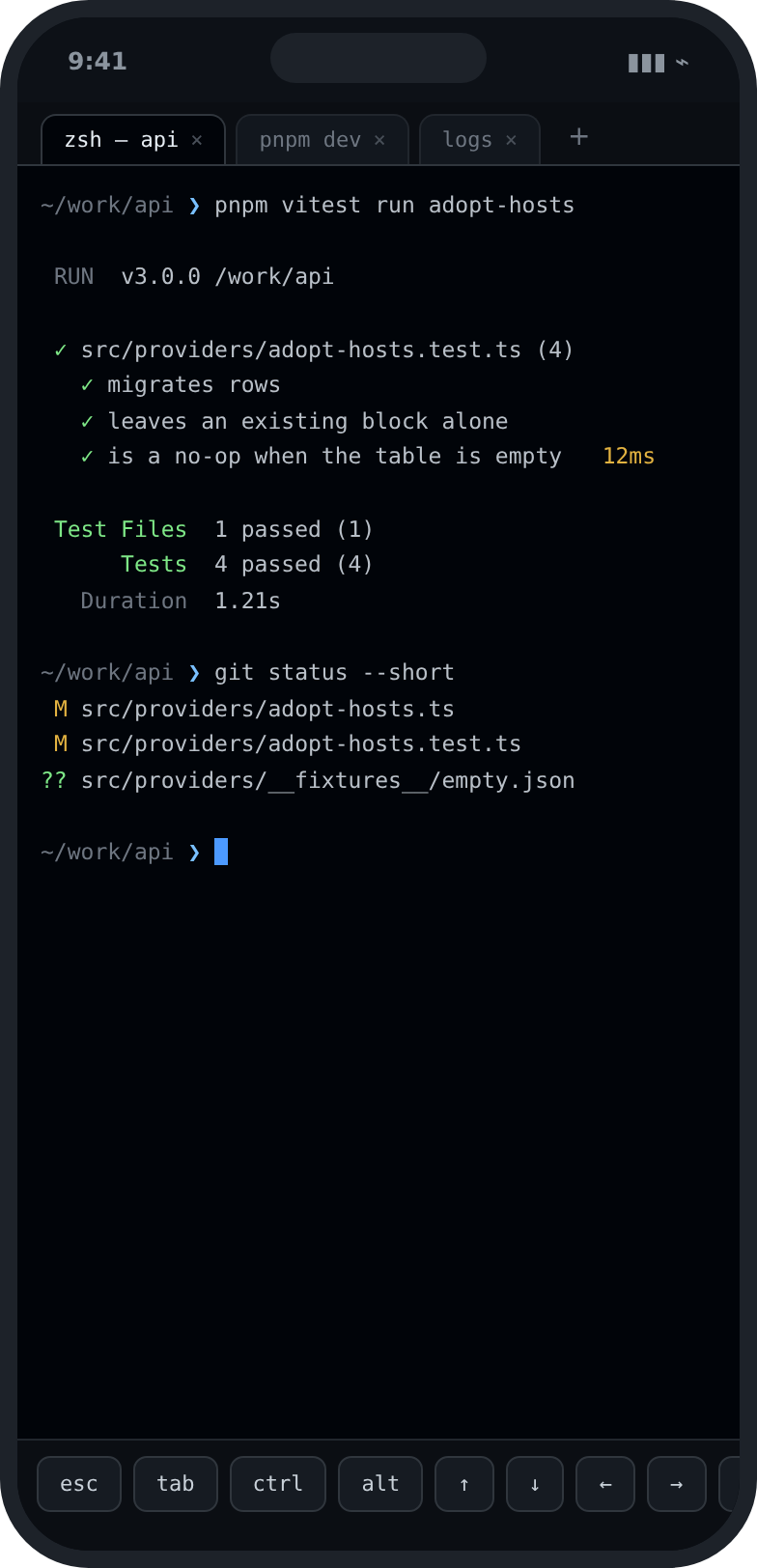
A terminal when you need one.
Open a terminal session on the host from your phone. Investigate, confirm and run without leaving the flow.
Terminals the host announces
Input and output live
The same authenticated connection
06 / SETTINGS
Private, and your way.
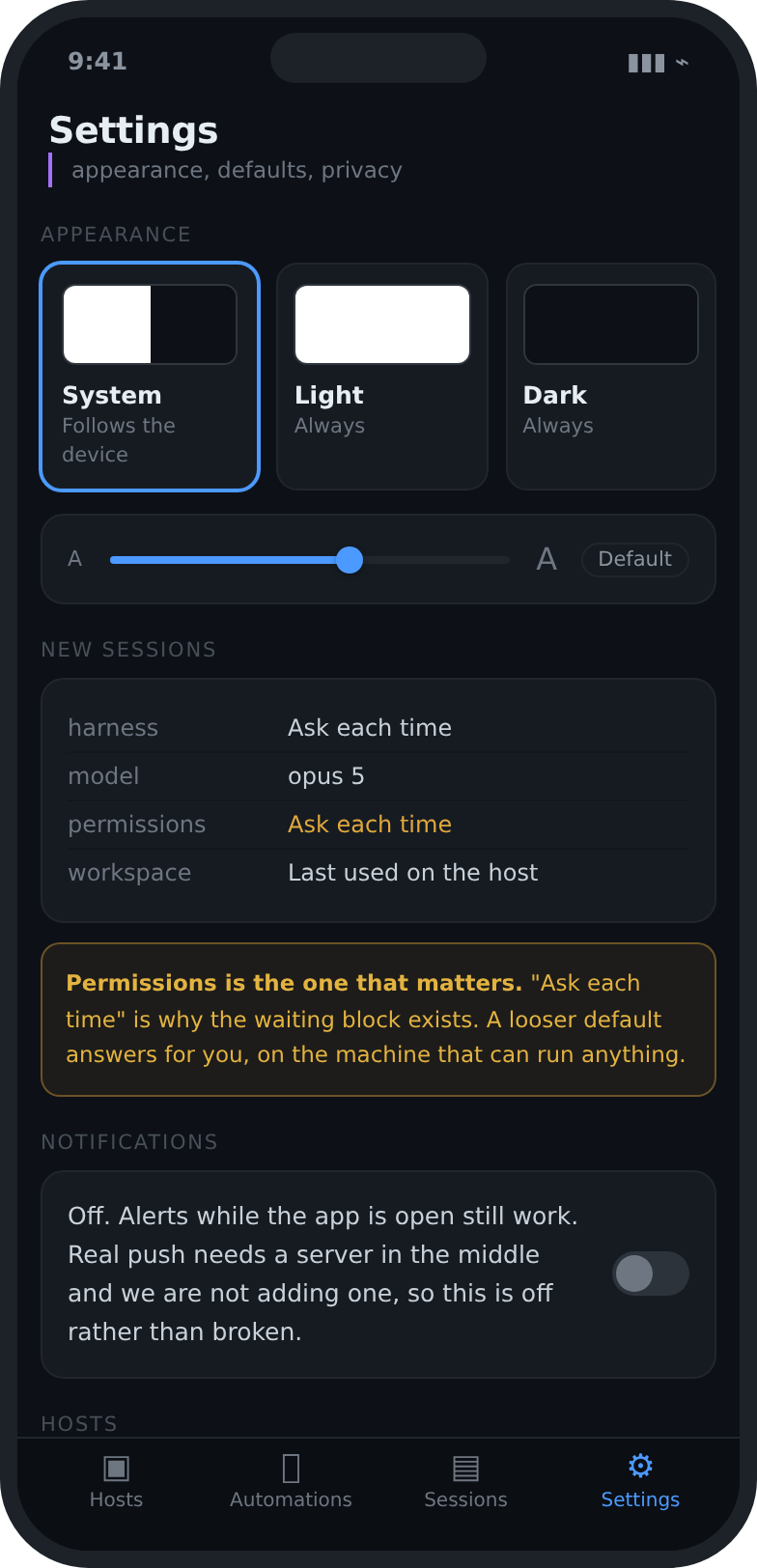
Manage connections, appearance, language, text size and security. On a phone, tokens live in the system keystore.
No analytics
No sign-up or login
Tokens in the Keychain, not in a file
One app, every width
The same app on a bigger screen.
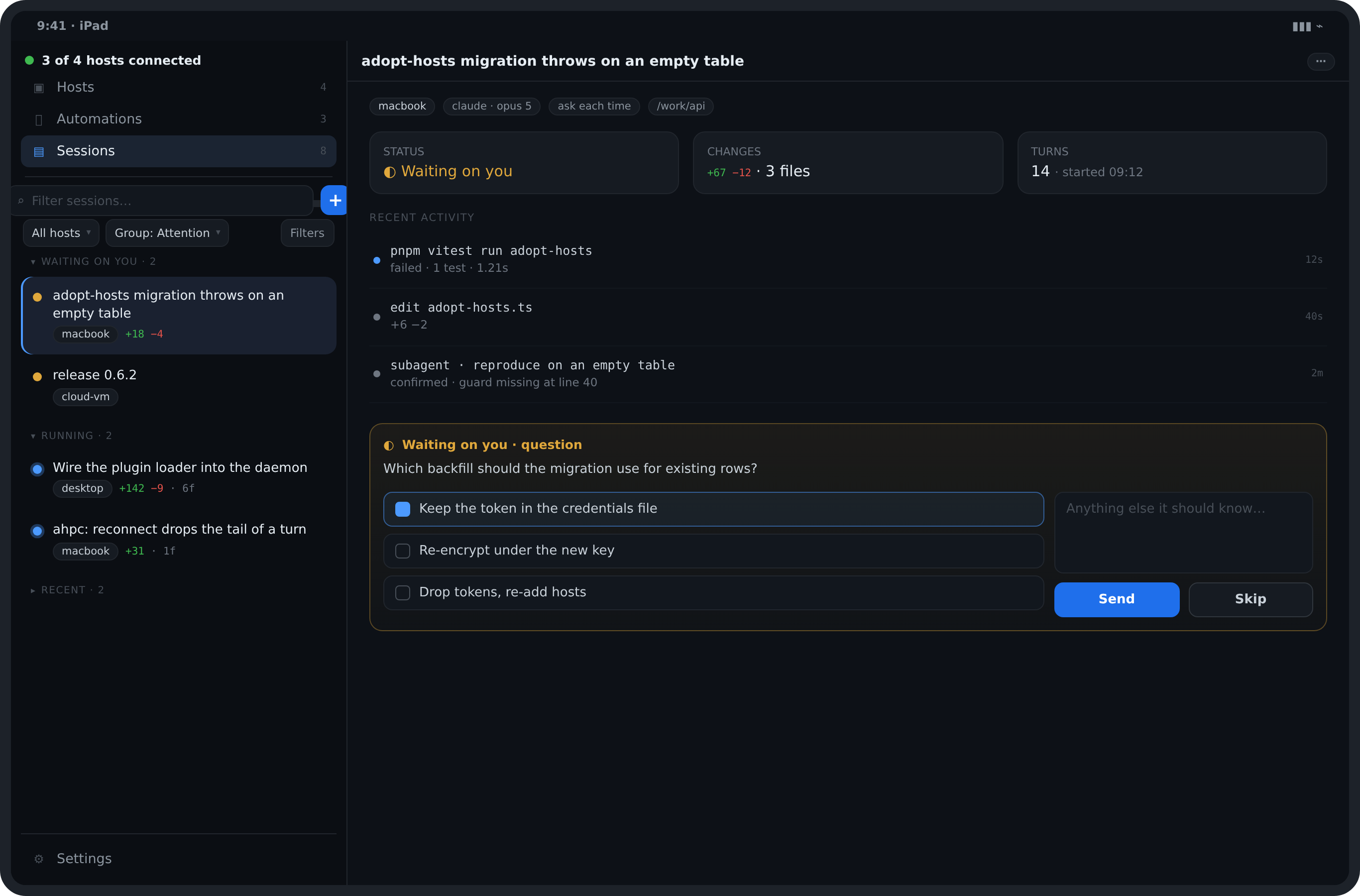
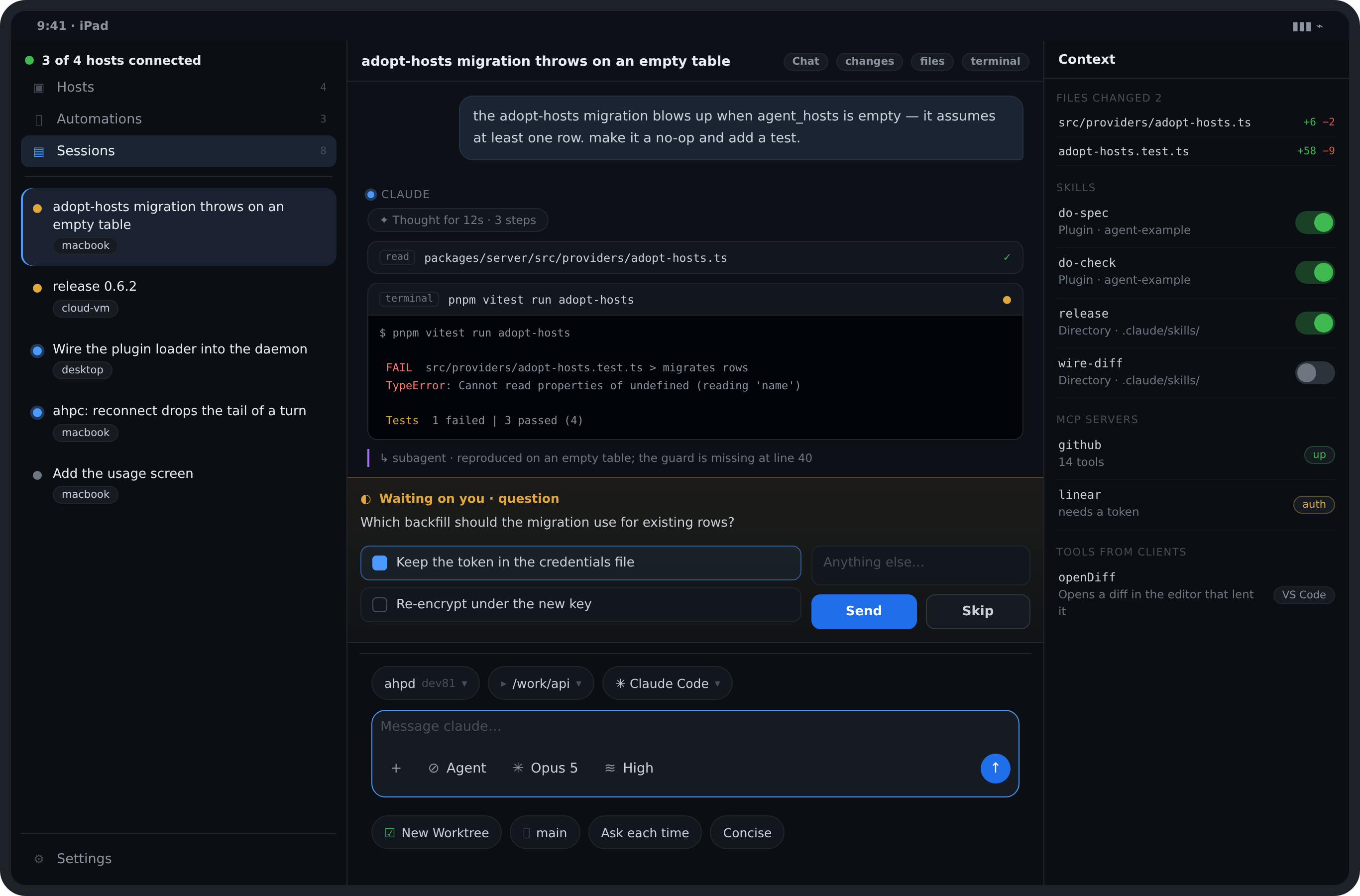
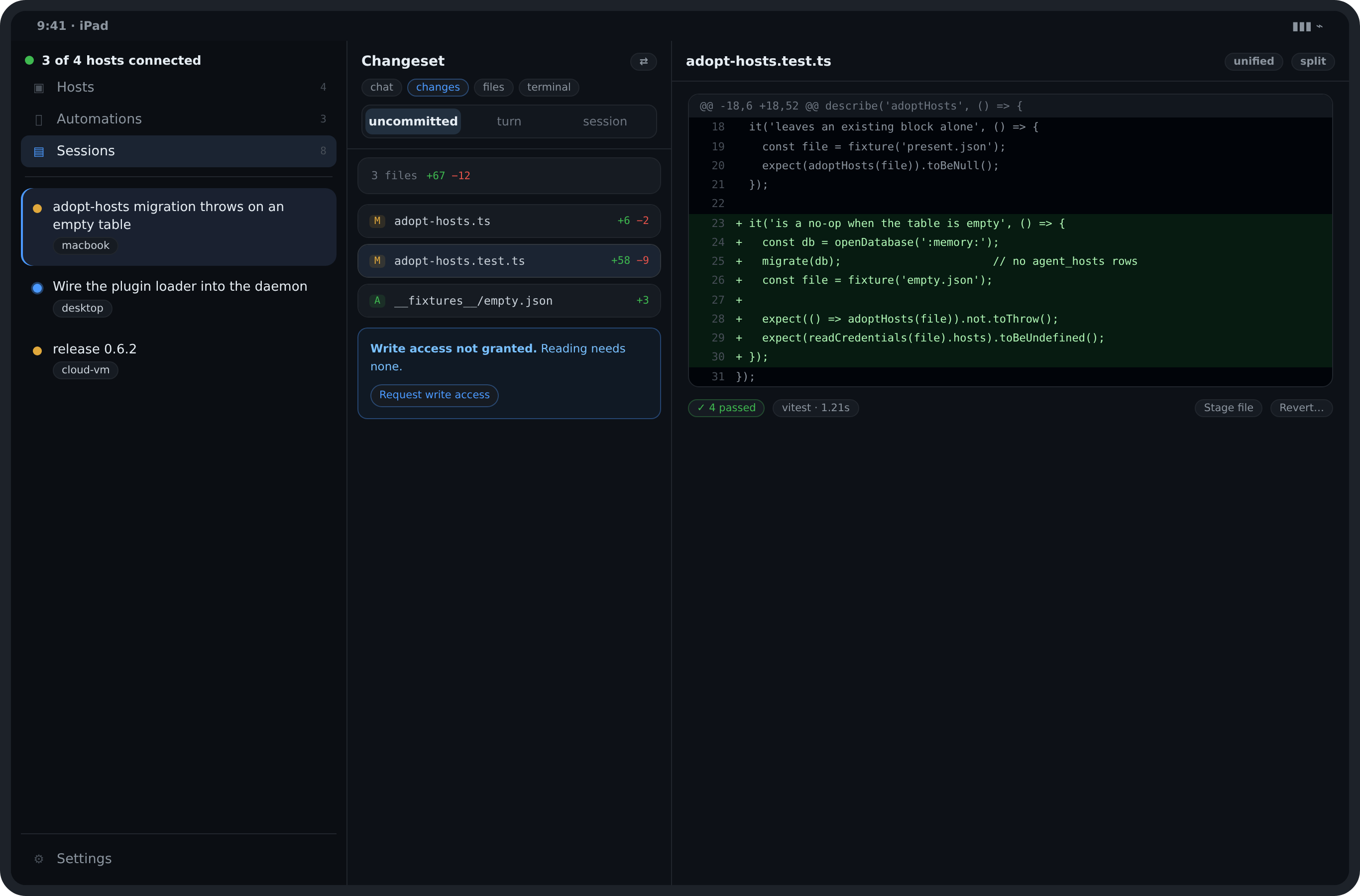
On an iPad or a desktop the app opens into a shell: the destinations and the session list on the left, the session beside it, and a context pane for what changed, the skills and the MCP servers. One client, at three widths.
01The shell: every host and its sessions, beside the session itself.02A conversation, with what the host can do beside it.03A changeset, and the diff the client computes itself.
Before you start
Step one · your server
Run your own server.
Your agents already run on a machine you own, so keep them there. Start a host in the editor you have open, or run the reference host on a laptop, a VM or a container: the app is the window onto it, and nothing of ours sits in between.
Any server that speaks AHP will do, and these two are the easiest place to start. Whichever you pick, it is yours, and only you run it.
Step two · the app
Connect the app to it.
Nothing to create, no account, no cloud in between. Give the app the address of the server you just started.
1
Add the host.
An address and a port. ws:// is assumed if you leave the scheme out.
192.168.1.10:9187
2
Paste the token.
Your host writes a connection token when it starts. Paste it here. A wrong token is refused at the WebSocket handshake, so it appears as a failed connection rather than a protocol error.
3
Start a session or automation.
Open a workspace and start a session, or schedule an automation to run on its own. Everything the host publishes arrives in the inbox, ordered by which one needs you.
The token is not an account and it is not ours. It is the secret your own server generated, and it stays on your device.
Get the app
Take it with you.
For iOS and Android, through the App Store and Google Play. The store handles the payment and the updates.
The app for iOS and Android
Updates included
A free, open-source reference host
Nothing sent to us
Beyond your own network: put it on a mesh VPN first, then a TLS tunnel. Never forward a bare port. Whatever is behind that port can read and write your filesystem as your user.
No small print
The questions that decide if this is for you.
What does it cost?+
US$ 9.87 a month, billed by the App Store or Google Play. Cancel from your store account at any time, and you keep access until the end of the period you already paid for.
Does it work without a host running?+
No. It is a client, so it needs a host to connect to, the way a browser needs a site. Setting one up is a single command on the machine that runs your agents.
Do I need an account?+
No account, no login, no cloud. You enter your own host address and token, and both stay on your device.
Is my code sent anywhere?+
Only to the host you configured, over the connection you configured. There is no backend of ours in the path and the app has no analytics.
Which hosts can it talk to?+
Any server that speaks the Agent Host Protocol, including the reference host and the VS Code agent host. The app reads what a host advertises at the handshake rather than assuming a version.